
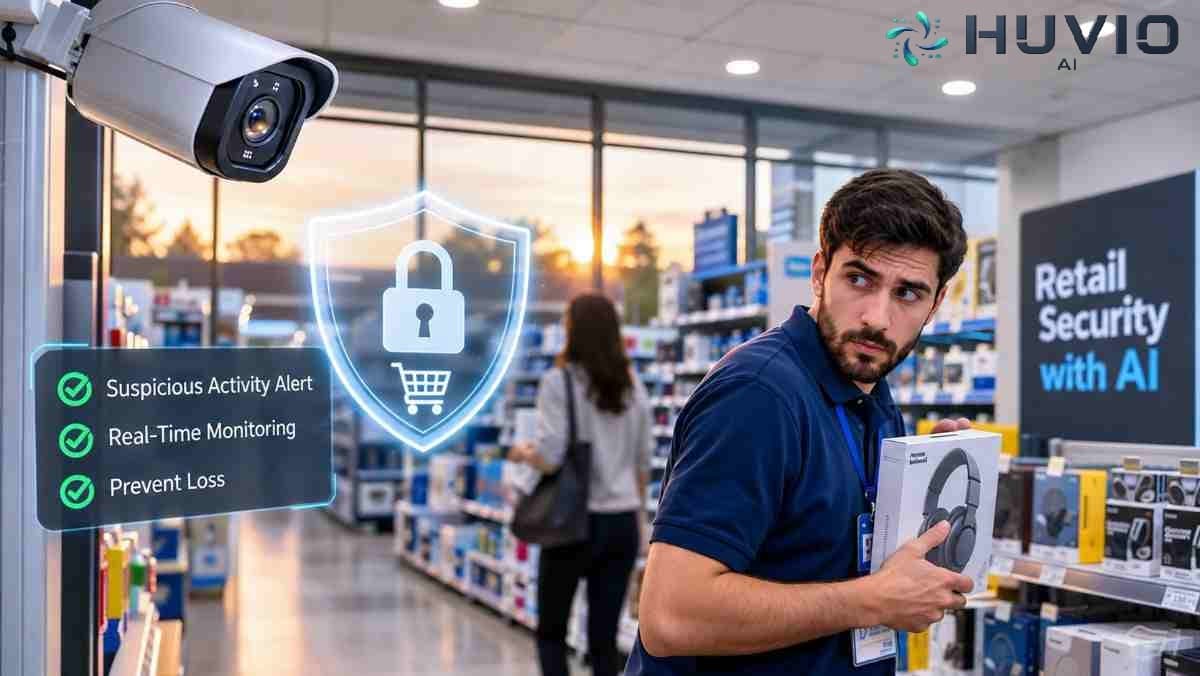
Preventing employee theft in retail isn't simply a matter of watching employees more closely. It is about protecting inventory, cash, customer trust, and the people who keep a store running. Internal losses can involve deliberate actions, policy violations, process gaps, or honest mistakes, and you should never treat those situations as identical. A thoughtful approach to AI retail theft prevention combines clear procedures, consistent controls, fair investigations, and technology that helps teams review events with better context.
Retailers are increasingly evaluating ai retail theft detection tools because manual camera monitoring cannot give managers a practical view of every aisle, checkout, stockroom, and shift. However, video analytics should support—not replace—good management. A camera alert is a reason to review an event, not proof that an employee has acted improperly. This guide explains how to build a balanced prevention program and where Huvio’s real-time monitoring and incident-review capabilities can fit.
What Employee Theft Can Look Like in a Retail Environment
Employee theft can take several forms. It may involve taking merchandise without authorization, manipulating a refund, applying an improper discount, voiding a transaction after receiving payment, removing cash, changing inventory records, or helping another person bypass store procedures. Some incidents may involve coordination between employees and outside individuals. Other losses that initially look suspicious may turn out to be scanning errors, incorrect receiving records, unclear permissions, or a breakdown in training.
That distinction matters. Retailers should define the conduct they are trying to prevent and document the normal process before deciding that an exception is suspicious. For example, a refund outside a usual pattern deserves a review of the receipt, register record, policy, and available footage. It does not automatically establish dishonesty. A sound program looks for corroborating information and gives employees a fair opportunity to explain legitimate activity.
Why Internal Loss Is Difficult to Identify
Retail work is fast, distributed, and highly repetitive. Employees may handle payments, returns, stock transfers, deliveries, and customer requests in the same shift. Managers cannot stand beside every register or monitor every camera continuously. When an issue is discovered days later, the relevant footage may be difficult to locate and important context may be missing.
There is also a risk of confusing performance problems with misconduct. A poorly designed process can create repeated errors. Shared logins, weak approval controls, rushed stock counts, or unclear refund rules make it harder to establish who completed an action and why. Retailers should fix process weaknesses first, then use exception reporting and documented investigations to address behavior that remains unexplained.
AI-based detection methods can also help retailers identify suspicious behavioural patterns earlier, as explained in our guide to AI retail theft detection.
Common Warning Signs That Deserve a Review
No single behavior proves employee theft. Instead, managers can look for patterns that are unusual for the role, shift, location, or transaction type. Examples include repeated manual price overrides without a clear reason, refunds that do not match the returned merchandise, frequent voids after payment, inventory adjustments without supporting notes, or stock movements that do not follow the receiving process.
Video can add context when a concern involves a visible activity, such as merchandise being moved through a restricted area or an item being handled outside the normal workflow. It may not show what happened inside a point-of-sale system, explain why a refund was authorized, or establish who had permission to act. Pair footage with POS logs, inventory records, access records, receipts, and manager notes. The purpose is to build a reliable timeline—not to jump to a conclusion.
Build Strong Store Controls Before Adding More Technology
The most effective prevention programs begin with simple, consistently applied controls. Give each role clear responsibilities and limit access to cash drawers, stockrooms, inventory adjustments, and refund approvals according to job needs. Where practical, separate duties so that one person cannot initiate, approve, and reconcile the same sensitive transaction. Require a reason code and appropriate authorization for exceptions, and review unusual activity on a regular schedule.
Receiving and inventory processes deserve the same attention. Record deliveries promptly, investigate quantity differences, document transfers between locations, and perform cycle counts on higher-risk products. Use individual staff credentials rather than shared logins, and remove access promptly when roles change. Train employees on policies for returns, discounts, damaged goods, cash handling, and reporting concerns. A confidential reporting route can also help staff raise issues before small problems become larger losses.
These practices form the operational foundation for retail theft prevention technology. Technology is most useful when the store has defined what normal procedures look like and who is responsible for reviewing an exception.
Retailers can further strengthen their prevention strategies by understanding how AI-powered operational intelligence helps identify risks and improve store security.
How Video Surveillance Can Support an Employee-Theft Investigation
A well-planned camera layout can help a manager understand where an event occurred, what happened immediately before it, and what happened next. Retail store video surveillance is particularly useful around checkout counters, high-value displays, stockroom entrances, receiving areas, and other locations where documented procedures involve the movement of merchandise or money. Camera placement should provide useful coverage while respecting employee and customer privacy.
Traditional retail video surveillance is often used after a loss has been reported. Staff may need to search long recordings, switch between camera views, and match timestamps to transaction records. AI video surveillance can make the review process more focused by analyzing connected video streams for patterns associated with possible security incidents and surfacing events for human review.
For a broader perspective on how surveillance data supports smarter retail decisions, explore our guide to turning retail video into actionable insights.
An AI-powered video surveillance workflow can help teams move from continuous manual watching to reviewing relevant alerts and clips. The value depends on camera position, lighting, image quality, the type of activity being assessed, and the quality of the store’s response process. Video is one source of evidence; it should be considered alongside transaction and inventory records.
Where Huvio Fits into a Practical Prevention Workflow
Huvio describes a platform for real-time retail monitoring. Its public product information explains that users can view live camera feeds, receive alerts when suspicious activity is detected, review recorded incident clips, manage incident status, and track trends through reporting. Alerts include details such as time, location, camera source, and a preview, helping an authorized team member understand what needs attention.
For an employee-related concern, a retailer could use this type of workflow as one part of a documented review: an alert is received, an authorized manager checks the clip, the event is compared with the relevant transaction or inventory records, and the manager records the outcome according to company policy. The system can help organize video-based incidents, but a retailer should not assume that an AI alert identifies an employee, establishes intent, or proves theft. The final assessment belongs to trained people using the full available evidence.
When comparing ai security systems, ask vendors exactly what activity their models are designed to flag, what information appears in an alert, how a reviewer can access the relevant clip, and how false positives are handled. Ask for a demonstration using scenarios that reflect your store operations rather than relying only on broad claims about accuracy.
How to Choose a Retail Surveillance Solution?
The market includes many retail security solutions, from conventional camera platforms to analytics products and incident-management tools. Before selecting retail security software, document the problem you need to solve: faster incident review, better visibility across multiple locations, clearer reporting, or a more consistent response process. A product that is impressive in a demonstration may still be a poor fit if it does not match your cameras, workflows, staffing, or privacy requirements.
Evaluate an AI video surveillance system by checking camera compatibility, supported video quality, alert delivery, clip access, search and filtering, user permissions, reporting, retention settings, support, and total cost. Ask how the platform handles a missed event, an incorrect alert, or a camera that goes offline. If you manage several stores, check whether managers can view the right locations and whether reporting can be compared consistently across sites.
The phrases ai retail security systems and ai-powered surveillance are often used broadly in the market, so look beyond labels. Confirm whether a product analyzes live feeds, creates reviewable incidents, supports case notes, or simply records video. Likewise, artificial intelligence security cameras may refer to cameras with built-in analytics or to software that analyzes footage from a camera system. Those are different buying models, and the distinction affects installation, maintenance, and cost.
People searching for the best ai security cameras for retail stores should first decide whether they need new camera hardware, analytics software, or both. Retailers comparing the best ai surveillance software should assess the quality of the review workflow, not just the number of features on a product page. A useful shortlist should be based on verified capabilities, a realistic pilot, data-handling terms, and the retailer’s own success criteria.
Some vendors describe their products as ai powered surveillance systems or a complete retail surveillance system. Treat these descriptions as starting points for questions, not as proof of performance. Request clear documentation of integrations, limitations, supported use cases, and the responsibilities that remain with the retailer.
Protect Employee Privacy and Investigate Fairly
A responsible monitoring policy should explain why cameras are used, which areas are monitored, who can view recordings, how incidents are reviewed, and how long information is retained. Avoid monitoring spaces where employees reasonably expect privacy, and follow the laws and workplace requirements that apply in every location where the business operates. Give employees clear notice and train managers not to use surveillance footage for unrelated or unfair purposes.
Limit access to incident clips to authorized people, keep an audit trail where available, and use a consistent review process. Do not make employment decisions based on an isolated AI score or an unverified clip. Preserve relevant records according to policy, allow appropriate review and response, and involve HR, legal, or compliance specialists when the circumstances require it.
Huvio’s published privacy policy states that the customer organization is responsible for the lawful basis for CCTV processing, notices to individuals, and retention periods. It also states that Huvio does not perform facial recognition or retain biometric data. Retailers should review the current policy and their own legal obligations before enabling monitoring. Privacy is not separate from effective security; it is part of a trustworthy program.
A 30-Day Action Plan for Retail Managers
Days 1–7: Map the process. Identify the transactions, products, and store areas with the greatest documented exposure. Review refund, void, discount, receiving, and inventory-adjustment procedures. Check whether staff use individual accounts and whether approvals are recorded.
Days 8–14: Close basic control gaps. Clarify responsibilities, update access permissions, refresh staff training, and define what must be recorded when an exception occurs. Make sure managers know how to escalate a concern without accusing an employee prematurely.
Days 15–21: Review surveillance coverage. Check whether cameras capture the relevant activity clearly and whether timestamps align with POS and inventory systems. If you are evaluating ai video surveillance, run a controlled pilot in a limited number of locations and document what the system detects, misses, and sends for review.
Days 22–30: Measure and refine. Track the number of alerts reviewed, time required to locate footage, confirmed incidents, false or inconclusive alerts, repeat process exceptions, and time to close a case. Use the results to refine camera placement, procedures, training, and vendor requirements. Do not use raw alert counts as a measure of employee misconduct.
Conclusion: Combine Clear Controls with Human Judgment
Sustainable employee theft prevention in retail comes from consistent procedures, accountable transaction controls, accurate records, well-planned camera coverage, and fair investigations. Technology can help teams find and review relevant events faster, but it cannot replace context, due process, or sound management.
For retailers exploring AI video surveillance and related tools, the right solution is one that fits the store’s real risks, gives authorized people useful information, protects personal data, and supports a documented response. Huvio’s live monitoring, incident alerts, clip review, and reporting features can form part of that process. Used thoughtfully, technology helps managers make better-informed decisions while keeping fairness and trust at the center of store security.
Discover how Huvio helps retailers improve security, prevent theft, and make smarter decisions with AI-powered video surveillance. Visit Now:https://huvio.ai/